Nextcloud V924 did not complete with error for maximum runtime.

1 Like
Do you have a big database? Could you send logs from support page please?
Nextcloud system page says database is 2505mb. Not sure if this is considered very large.
I’m running the refresh attempt again now, in 2hr when it times out I’ll fresh send logs. I assume if I had sent them now the relavent info will be gone.
Sorry found the issue, fixing coming asap.
Ok, sent logs anyway if needed. Thank you.
I confirm the same behaviour: impossible to refresh or to make a fresh install (remove+install). Thanks
Could you upgrade now please?
Same error with V935
Can you send logs from settings please?
Can you also please run and post the output please here?
snap refresh nextcloud
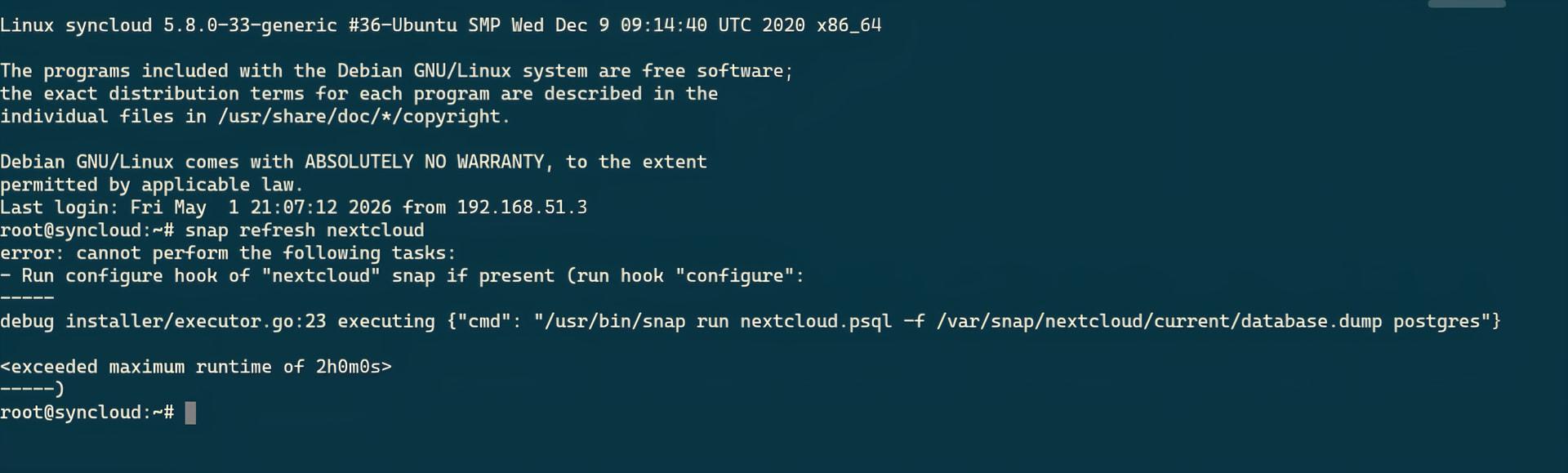
Was it actually running for 2 hours?
Yes, it takes over 2hr to get that result in the screenshot.
Ok one more regression fix is out, can you refresh now please should be 3 times faster

Could you run this please
snap list nextcloud
snap changes | tail -20
snap change $(snap changes | awk '/[Rr]efresh.*nextcloud/ {print $1}' | tail -1)
Also you disk is almost full that does not help with upgrading big databases. Is it possible to have at least 10g free and then try again?
/dev/sdb2 60G 51G 6.5G 89% /

This is the sd card not the external storage, do you have a suggestion on how to clean it up? None of my data or backups are stored here, only the operating system. Do the failed nextcloud update attempts leave a bunch of junk to clear out?
Hi Ryan,
To clean some space
sudo journalctl --vacuum-size=100M
sudo apt clean
sudo apt autoremove --purge
sudo truncate -s 0 /var/snap/nextcloud/common/log/nextcloud.log
sudo du -xh -d 1 / 2>/dev/null | sort -h | tail -20
Then post:
df -h /